
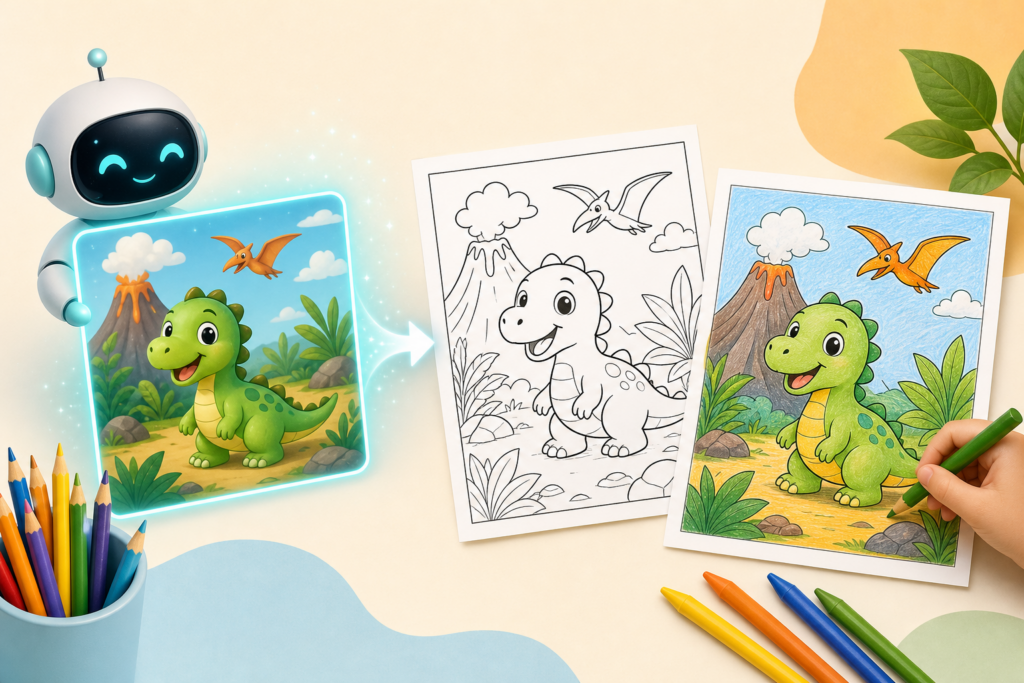
Whether you’re a parent looking for a rainy day activity, a teacher planning a lesson, or someone who works with kids, AI image generators can create custom coloring pages in seconds. No drawing skills required, and you can tailor every page to a child’s interests—from dinosaurs riding bicycles to astronaut cats.
Here’s how to use tools like DALL-E 3, Midjourney, and free alternatives to generate coloring pages that kids will actually want to color.
Why AI Works Perfectly for Coloring Pages
AI image generators excel at creating simple, bold line art when you prompt them correctly. Unlike complex illustrations, coloring pages need clean outlines, minimal detail, and no shading—exactly what AI can deliver when you use the right keywords.
You can create pages featuring a child’s favorite topics (their pet, favorite animal, or hobby), educational themes (letters, numbers, shapes), or seasonal activities (holidays, weather, nature). The best part: it takes about 30 seconds per image.
Best Tools for Generating Coloring Pages
Here are the most reliable options:
- DALL-E 3 (via ChatGPT Plus or Copilot): Produces clean line art with good prompt following. ChatGPT Plus costs $20/month; Microsoft Copilot offers free access with limited generations.
- Midjourney: Excellent quality and style control. Requires a Discord account and starts at $10/month for the basic plan.
- Ideogram: Free tier available, good at text and simple illustrations, easy to use.
- Leonardo.ai: Free daily credits, clean results, straightforward interface.
For this guide, we’ll focus on DALL-E 3 through ChatGPT, since it’s beginner-friendly and widely accessible.
The Coloring Page Prompt Formula
The key to great coloring pages is your prompt structure. Use this template:
“Simple black and white coloring page for kids, [subject], thick lines, no shading, white background, cartoon style”
Here are real examples that work:
- “Simple black and white coloring page for kids, friendly dragon playing with a ball, thick lines, no shading, white background, cartoon style”
- “Simple black and white coloring page for kids, dump truck at a construction site, thick lines, no shading, white background, cartoon style”
- “Simple black and white coloring page for kids, butterfly on flowers, thick lines, no shading, white background, cartoon style”
The phrase “thick lines” ensures outlines are easy for small hands to color within. “No shading” prevents gray areas that confuse the clean line-art look. “Cartoon style” keeps images child-friendly and simple.
Step-by-Step: Creating Your First Coloring Page
Follow these steps in ChatGPT (with a Plus subscription or Copilot free account):
- Open ChatGPT and start a new conversation
- Paste your prompt using the formula above
- Wait 10-20 seconds for the image to generate
- If the image has shading or is too complex, reply with: “Make it simpler with thicker lines and no gray shading”
- Download the image (click the image, then click the download icon)
- Print it directly or save as a PDF
For Midjourney users, add “–style raw –v 6” to your prompt for cleaner line art and less stylization.
Tips for Better Results
After generating dozens of coloring pages, here’s what works:
Be specific about the subject: “Happy octopus wearing a hat” works better than just “octopus.”
Specify age-appropriateness: Add “for toddlers” for very simple designs or “for older kids” for more detail.
Request educational elements: Try “alphabet letter A with apples” or “number 5 with five balloons” for learning activities.
Avoid complex scenes: Single subjects or simple two-object scenes work best. “Cat and yarn ball” is better than “cat in a living room with furniture.”
Generate variations: Once you find a style that works, ask for similar images: “Create three more like this with different animals.”
What to Do With Your AI Coloring Pages
Print them on standard printer paper or cardstock for a sturdier feel. Compile several pages into a custom coloring book using a stapler or spiral binding.
Teachers can create themed packets for lesson units—ocean animals for marine biology week, historical figures for social studies, geometric shapes for math practice.
Parents can make personalized birthday party activities featuring the birthday child’s name and favorite characters, or create custom reward charts with images kids actually care about.
Small businesses and crafters can use AI-generated coloring pages for kids’ menus at restaurants, waiting room activities, or workshop materials (just check the terms of service for commercial use).
Common Issues and Fixes
If your image has gray shading, regenerate with “pure black lines only, no gray, no shading” added to your prompt.
If lines are too thin or detailed, specify “very thick lines, simple shapes, minimal detail.”
If the background isn’t white, add “solid white background, no texture” to your prompt.
If text appears garbled (for alphabet pages), try Ideogram instead—it handles text better than most AI image generators.
AI image generators occasionally produce unexpected results. If an image doesn’t work, simply regenerate. You’ll usually get a usable result within two or three attempts.
Want one useful AI idea delivered to your inbox every day? Subscribe to the One Two Three AI newsletter and get practical tips you can actually use—no hype, no fluff.